
Competitor analysis and benchmark templates that decide
Two copy-ready worksheets: one competitor and one question, or one metric across several. Every cell carries a source, a date, or an honest blank.

In this article
Row 14 of the competitor spreadsheet is "SSO." The cell under your largest competitor says "Yes." Nobody on the team knows who typed it, which page it came from, or whether it was true last week or two springs ago.
That cell will be on a roadmap slide by Friday. Most competitor analysis templates make this easy: they hand you a feature grid, a SWOT, and a pricing table, and every box waits for an answer. They don't ask how you know.
The two worksheets below do. One studies a single competitor for a single question. The other measures one metric across several competitors. In both, a cell counts only when it has a value, a source, and a date, and a cell you can't fill stays visibly empty.
Start from the decision, then pick the sheet
A competitor worksheet with no decision attached is a collection. It grows a row every time someone has an idea, and nobody can say when it's finished.
Write the decision first, as one sentence that ends in a question mark, with an owner and a date. The sentence tells you which sheet you need. The company names in these examples are invented.
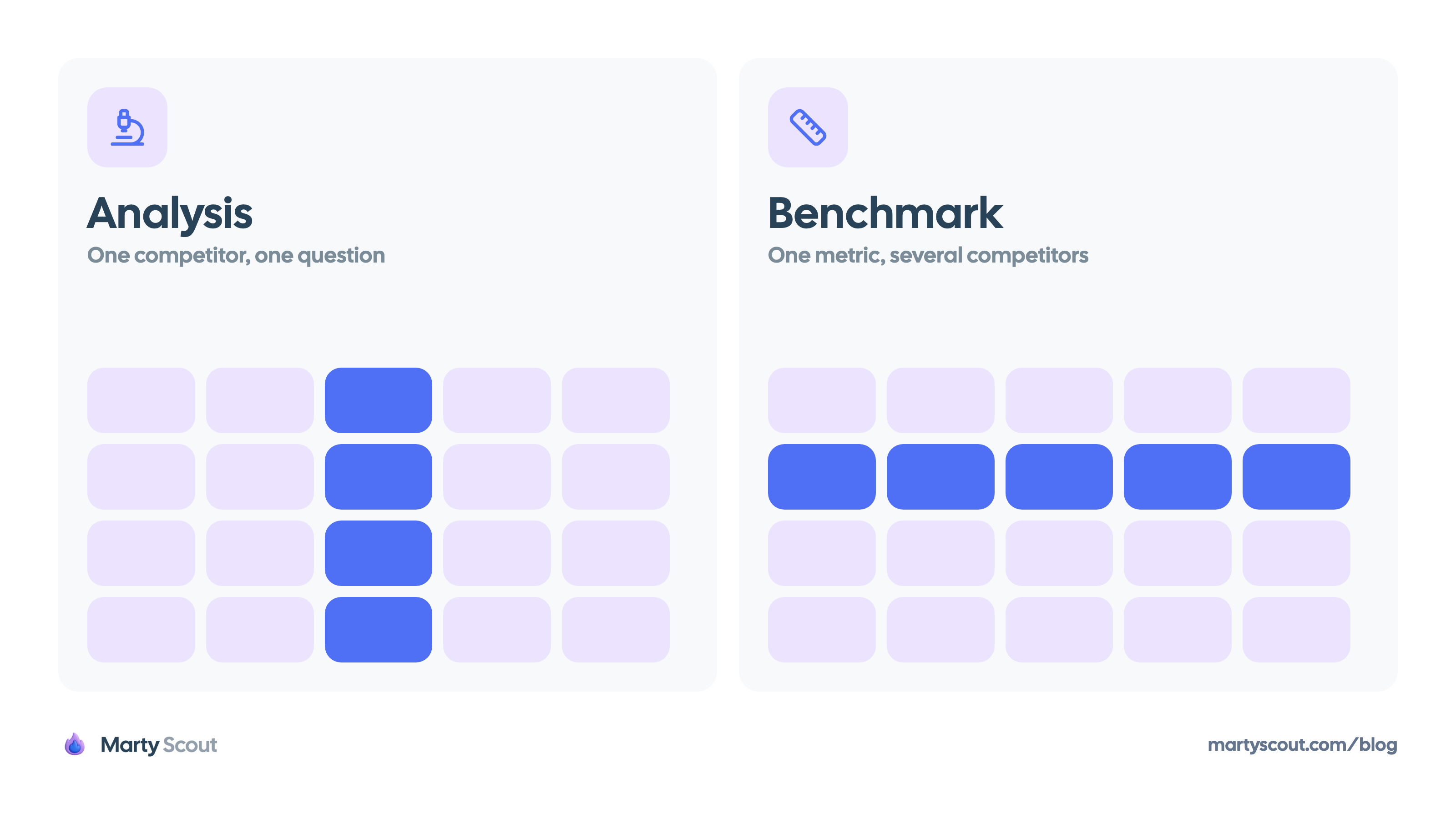
- A question about one company: "Should we build an integration marketplace before Calendra's gets traction?" You need depth on one competitor. That's an analysis.
- A question about your position in the field: "Is our Team plan missing a feature that every rival includes at that tier?" You need the same measurement taken across several competitors. That's a benchmark.
Most templates merge the two. IdeaPlan's template packs comparison matrices, a SWOT, pricing grids, and a positioning map into one document. PMRead's template comes closer: it opens with the decision the analysis informs, and it ranks sources with your own sales calls first and the competitor's marketing pages last. Its sources are still one list at the bottom of the page, and none of its tables has a column for a link or a date.
A merged sheet does both jobs badly. The deep study of one competitor gets squeezed into a column, and the comparison fills up with rows that matter for one company only. Keep them as two files.
The analysis template: one competitor, one question
An analysis is a case file. It holds one question, the evidence for and against, and an answer someone signs.
# Competitor analysis: [competitor]

Decision this informs: [one sentence that ends in a question mark]
Decision owner and date: [name], [date]
Analyst: [name]
Last full review: [date]

## The question

[One question about this competitor that the decision depends on]

## Evidence

| Fact | Kind | Source | Date checked |
| --- | --- | --- | --- |
| [One fact, stated so a colleague can check it] | [observed / reported / claimed] | [link] | [date] |
| [One fact] | [observed / reported / claimed] | [link] | [date] |

## Looked for, not found

- [Fact we needed]. Looked in [where] on [date].

## Reading

[Two to four sentences on what the evidence says about the question.
Opinion goes here and nowhere else.]

## Answer

[Yes / no / not yet]. Confidence: [high / medium / low], because [reason].

## What would change the answer

- [An event you could observe]. [Name] checks on [date].
Evidence
Each line is one fact with a link and a date. The "kind" column takes one of three words:
- Observed: you saw it yourself on a pricing page, in the documentation, or in a trial account.
- Reported: a third party said it, such as a reviewer on G2, a customer, or a prospect in a lost deal.
- Claimed: the competitor says it about itself on a marketing page or in a sales deck.
A claimed fact is a lead. Treat it as true only after someone observes it.
Looked for, not found
This section is what most templates leave out. If the question depends on whether the competitor's marketplace has paying partners, and you searched their docs and partner page and found no answer, write that down with the date. The next reader learns the gap is real, and doesn't repeat your search.
Reading and answer
Opinion belongs in the reading, and only there. If your team likes a SWOT, this is its place: every strength and weakness points at a line in the evidence table. A SWOT with no evidence under it is four boxes of adjectives.
The answer is one word plus a confidence level. "What would change the answer" turns the file from a report into a watch list: when the event happens, you reopen the analysis.
The benchmark template: one metric, many competitors
A benchmark is a measurement, and a measurement needs a definition. "Starting price" isn't a metric. "Lowest paid plan, per seat per month, billed annually, in USD" is. Without the definition, one cell holds a monthly price, the next holds an annual one, and the comparison means nothing.
The second problem is the grid. A grid cell has room for one value. It has no room for a link, a date, or a note that the number came from a sales rep's memory, so the evidence is dropped the moment the value is typed.
Fix both by not typing into the grid. Keep a log with one row per cell, and build the grid from the log.
metric,definition,competitor,value,kind,source,date_checked,recheck_by
[metric name],[unit + plan + how it is measured],[competitor],[value or unknown],[observed / reported / claimed],[link],[date],[date]
Here's the start of a log for a fictional scheduling product:
metric,definition,competitor,value,kind,source,date_checked,recheck_by
SSO entry plan,Lowest plan that includes SAML SSO,Calendra,Team,observed,calendra.example/pricing,2026-09-17,2026-10-17
SSO entry plan,Lowest plan that includes SAML SSO,Meetwise,Enterprise,observed,meetwise.example/pricing,2026-09-17,2026-10-17
SSO entry plan,Lowest plan that includes SAML SSO,Slotly,unknown: not public,,slotly.example/pricing,2026-09-17,2026-10-17
Setup time,Minutes from signup to first booked meeting on a new trial,Calendra,11,observed,trial-notes.example/calendra,2026-09-18,2026-12-18
Setup time,Minutes from signup to first booked meeting on a new trial,Meetwise,unknown: not checked,,,,
The "Yes" from row 14 is gone. SSO isn't a yes or a no. It's a plan, and the plan is the fact that decides a deal.
Four rules keep the log usable:
- Write the definition before the first value: the unit, the plan, the billing period, and how you measured it.
- Record a fact, not an adjective. For a feature, that's the lowest plan that includes it or a behavior you tested.
- Build the grid as a pivot table in Google Sheets or Excel, with metrics down the side and competitors across the top. Nobody types into the pivot.
- Stay small. Three to five competitors and ten metrics at most. Every cell is a promise to recheck it, and fifty promises is already a job.
For price metrics, the pricing page gives you the list price. Log it as that, and log a quote from a lost deal as a separate "reported" row, because the list price is not the real price. When competitors charge on different value metrics, define the metric as the annual cost for a named buyer profile, as in comparing competitor prices across pricing models.
What a blank cell is allowed to say
Here's the choice that looks obvious and fails: filling every cell before the review. A full grid reads as rigor. A grid with holes reads as unfinished work, so the owner closes the holes the night before with a best guess, a number from last year's sheet, or whatever the competitor's homepage says.
From that moment the guess looks identical to a fact. It gets copied into a deck, the deck gets quoted in a planning doc, and six months later someone defends a packaging decision with a number nobody ever saw.
A blank is information, so give it words. A cell with no verified value takes one of three entries:
unknown: not checkedmeans nobody has looked. It's a to-do.unknown: not publicmeans someone looked, on the date and at the source in the row, and the answer isn't stated. That's a finding. Enterprise pricing behind a "contact sales" button tells you how they sell.n/ameans the metric doesn't apply, such as a seat limit on a free plan that doesn't exist.
Three entries are never allowed: an estimate with a tilde in front of it, a value carried over with no date, and an adjective lifted from a marketing page.
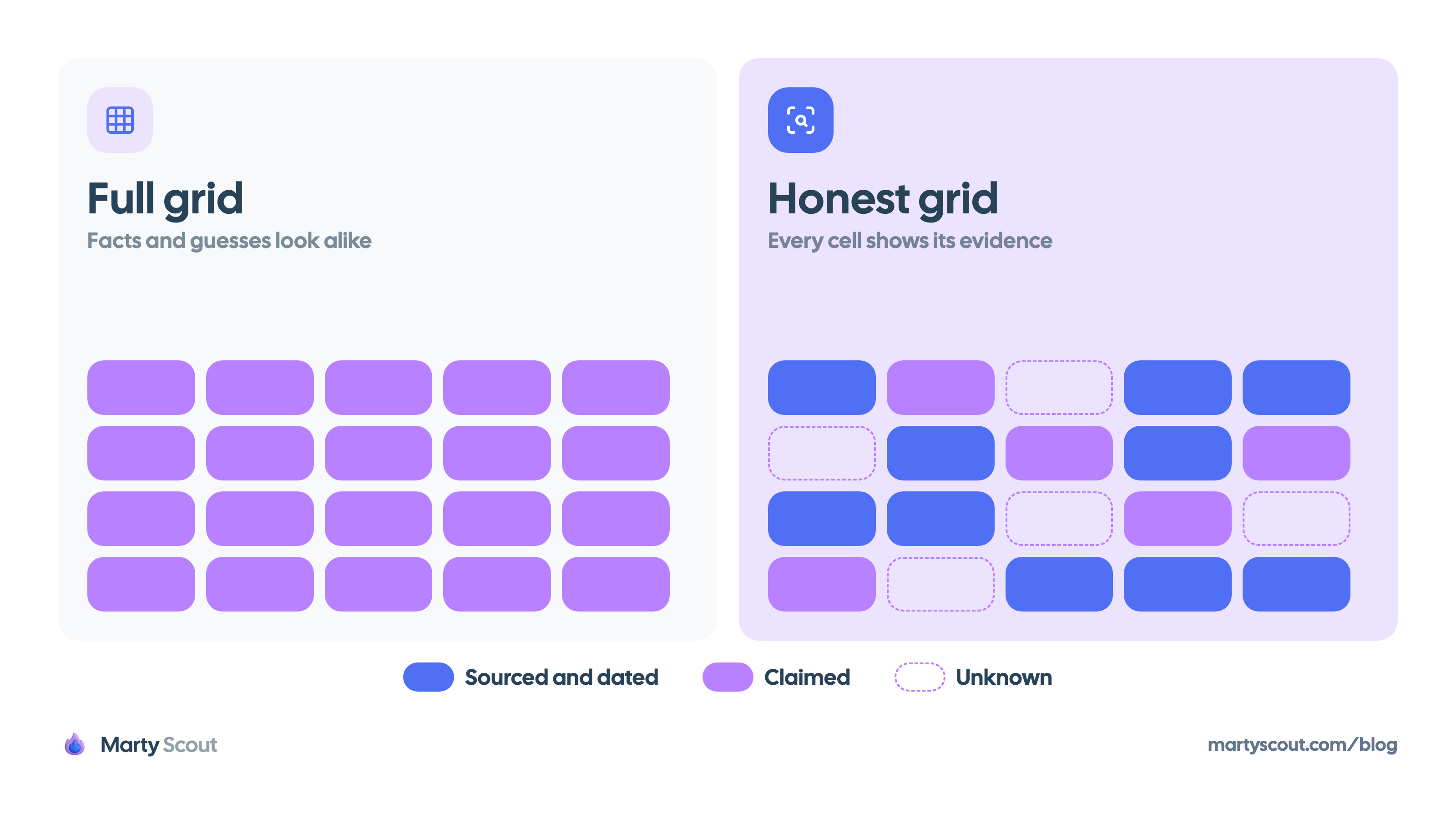
Then read the holes, because their shape tells you what to do next:
- A row of unknowns: the metric isn't public for anyone. Drop it, or measure it yourself with trial accounts and lost-deal notes.
- A column of unknowns: you don't know that competitor well enough to benchmark it. Run an analysis on it first.
When you present the grid, say the count out loud: "Ten cells sourced, five claimed, five unknown." The room hears how much weight the sheet can carry before anyone leans on it.
Worksheet, weekly brief, and battle card
These three get confused because they share facts. They have different readers and different jobs.
| Worksheet | Weekly brief | Battle card | |
|---|---|---|---|
| Reader | The decision owner | The product team | Sales reps |
| Answers | What's true, and how we know | What changed this week | What to say in a deal |
| Unit | A sourced, dated cell | A ranked change | A talking point |
| Updated | When a cell expires or flips | Every week | When positioning shifts |
The worksheet is the record, and the other two are written from it. A competitive intelligence brief tells the team what changed, and its evidence line links to a row in the log. A battle card tells a rep what to say, and every claim on it traces to a sourced cell. A rep who repeats a stale fact to a prospect loses more than the argument.
Facts flow one way: a signal lands in the log, and the brief and the battle card pick it up from there. A fact that enters through the brief and never reaches the log is gone by the next quarter.
Share the grid and the answers widely. Keep the reading sections inside the product team, since they hold candid judgments about competitors and about your own gaps.
A refresh rule so the sheet doesn't rot
A dated cell is honest on the day it's filled. Most templates then tell you to "update quarterly," which treats a pricing cell and a founding year as the same kind of fact.
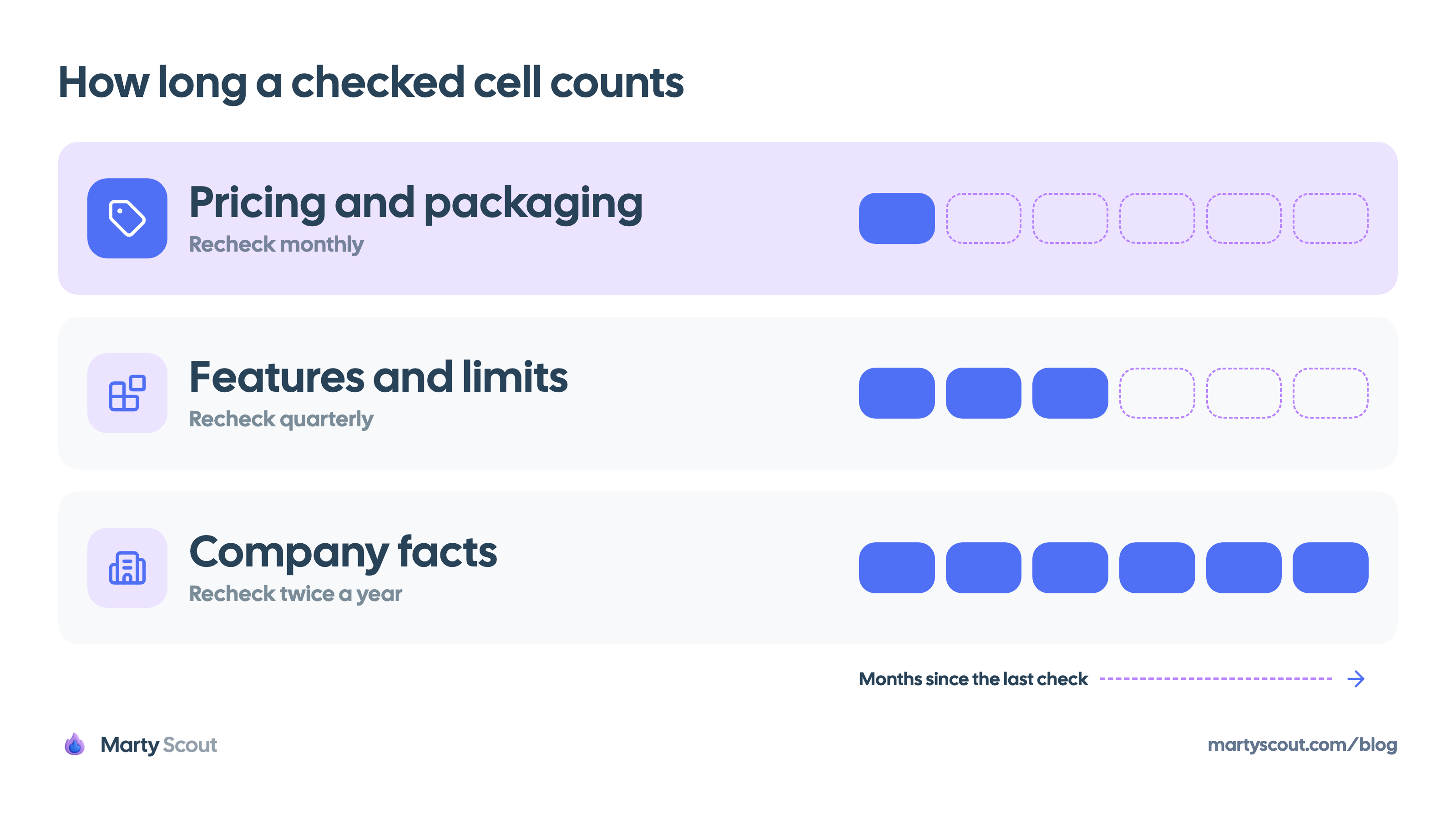
Give each metric a shelf life when you add it, and write the expiry date into recheck_by:
- Pricing and packaging: 30 days
- Features and limits: 90 days
- Company facts such as headcount, funding, and leadership: 180 days
An expired cell doesn't keep its value in the grid. Use conditional formatting to gray it out, and treat it as unknown: not checked until someone confirms it.
The calendar is one trigger for a recheck. The other is an event: a launch, an edited pricing page, a funding round. Events are where monitoring earns its place. Marty Scout watches competitor launches, pricing, hiring, funding, and product updates and sends a short briefing to Slack, Telegram, or iMessage, so a change arrives as a prompt to recheck one row.
When a launch flips a cell, update the log first. Then score the launch with the launch response framework. The flipped cell is a fact. Whether it deserves a response is a separate decision.
Budget fifteen minutes a week: sort the log by recheck_by and work from the top. If the list is longer than fifteen minutes, the sheet is too big. Cut metrics, not corners.
Fill one row before you build the sheet
Take the next competitor claim someone on your team states as a fact. Write it as one row of the log: metric, definition, value, kind, source, date.
If you can fill the row in ten minutes, you have your first benchmark cell. If you can't, you've learned what the claim was resting on, and that's worth knowing before the roadmap review.
FAQ
How many competitors should the template include?
Three to five in a benchmark, and one per analysis file. Pick the competitors you meet most often in deals. Every extra competitor adds a cell to every metric, and every cell has to be rechecked, so a longer list goes stale faster. Keep a lighter watchlist for everyone else.
Where do you get reliable data for each cell?
Start with what you can observe yourself: the pricing page, the documentation, the changelog, and a trial account. Add what third parties report, such as reviews on G2 and Capterra, customers, and prospects in lost deals. Treat the competitor's own marketing claims as leads to verify, and record the source link and the date next to every value.
How does a competitive analysis differ from a battle card?
A competitive analysis is an internal worksheet that records what's true about a competitor and how you know it. A battle card is a one-page sales tool that tells a rep what to say when that competitor comes up in a deal. The battle card is written from the analysis, and each claim on it should trace back to a sourced, dated fact.
How often should a competitor analysis be updated?
By row, not by document. Recheck pricing and packaging monthly, features and limits quarterly, and company facts twice a year. Recheck a row right away when the competitor ships a launch or edits its pricing page. A cell past its recheck date counts as unknown until someone confirms it.
Is competitor analysis the same as benchmarking?
No. Competitor analysis studies one competitor in depth to answer one question, such as whether to respond to a move. Competitive benchmarking takes one metric with a fixed definition and measures it across several competitors, such as the lowest plan that includes SSO. Analysis gives you depth on a company, and benchmarking gives you your position in the field.
Should you fill a blank cell with an estimate?
No. An estimate typed into a grid looks the same as a verified fact, and it gets copied into decks as one. Write "unknown: not checked" or "unknown: not public" with the date and the place you looked. A visible blank tells the reader what the team doesn't know, which is part of the answer.
Related articles
Competitive intelligence brief template your team will read
A copy-ready weekly brief in Markdown, the rules for filling each section, and the editing choices that keep it under one screen so decisions follow from it.
Compare competitor prices when every plan meters differently
Seats, credit pools, and per-outcome fees can't share one price column. Price three buyer profiles on every competitor instead, with a worked example.
How to track competitor pricing changes before they cost you
A five-step routine for catching packaging moves, new limits, and plan renames on a competitor's pricing page, and for deciding which ones deserve a response.