
How to track competitor pricing changes before they cost you
A five-step routine for catching packaging moves, new limits, and plan renames on a competitor's pricing page, and for deciding which ones deserve a response.

In this article
A competitor moves single sign-on from its enterprise plan to its mid tier on a Tuesday. Nobody on your team notices. Three weeks later a sales rep loses a deal, and the prospect is the one who explains why.
The price on the page never changed. The packaging did, and packaging is where most pricing moves happen.
Most teams check competitor pricing when a deal is already at risk, or once a year during their own pricing review. Both are too late to be useful. This routine takes about an hour to set up and a few minutes a week to run.
What counts as a pricing change
A pricing page has five layers. Teams tend to watch the first one and miss the other four.
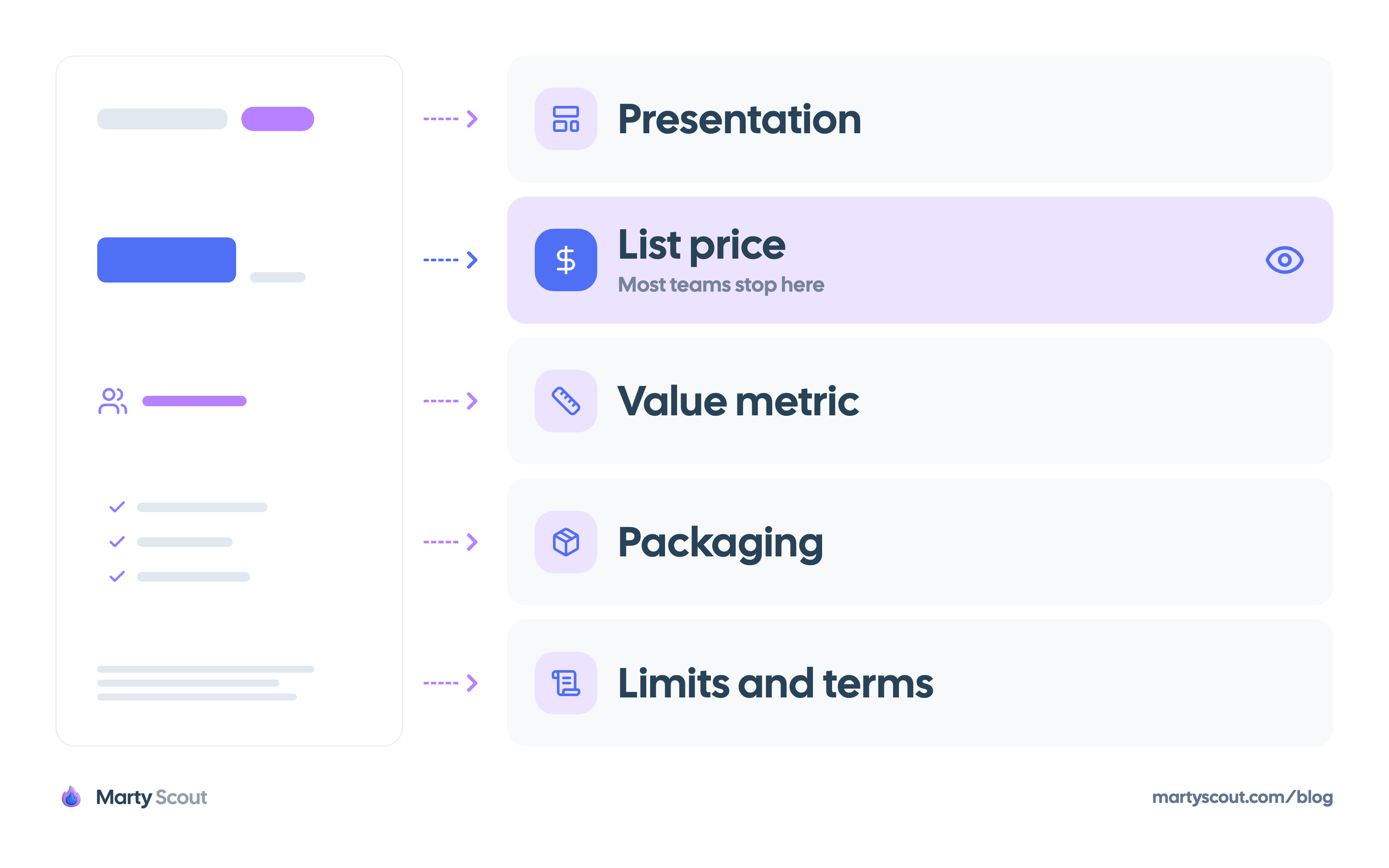
- List price: the number on the plan card. It's the easiest change to spot and often the least informative one.
- Packaging: which features sit in which plan. A feature moving down a tier tells you it stopped being a differentiator for them.
- Value metric: what the customer pays per. A switch from seats to usage changes who the product is cheap for. To compare competitors that charge on different metrics, price a buyer profile instead of a plan.
- Limits and terms: quotas, overage fees, contract length, and trial rules. These often live on a separate page.
- Presentation: plan names, the highlighted plan, the headline, and the audience named under each plan.
A change in any layer is a pricing change. Track all five.
Step 1: Map every pricing surface
The pricing page is one surface out of several. Before you monitor anything, list every public place where a competitor states what it charges and what you get.
For a typical B2B software company the list looks like this:
- The pricing page and its plan comparison table
- The documentation page for limits, quotas, and fair use
- The signup and checkout flow, including the trial terms
- Marketplace listings, if they sell through a cloud marketplace or an app store
- The terms of service and any public order form
- Help center articles about billing, upgrades, and overages
- The changelog, where plan changes are sometimes announced quietly
Save the URLs in one file. Note which pages are different per country or currency, because you need to check those from the same location each time.
Do this for three competitors at most. Pick the ones you meet in deals most often. A longer list produces more alerts than anyone reads.
Step 2: Capture a baseline
You can't describe a change without a record of what was there before. For each URL, save two copies:
- A full-page screenshot: it preserves layout, the highlighted plan, and anything rendered as an image.
- The page text: plain text is easy to compare line by line, and a text diff shows a moved feature in seconds.
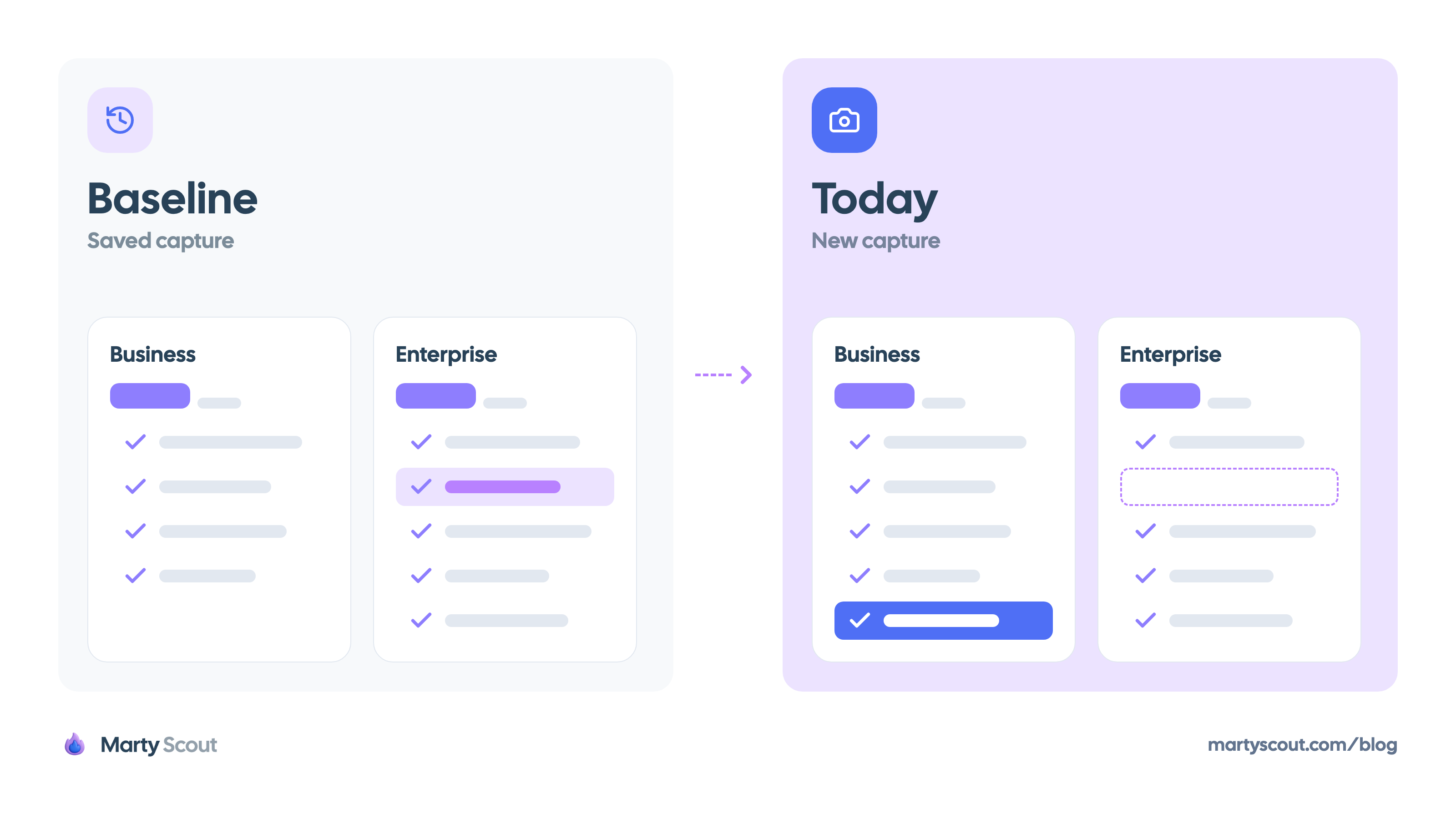
Date both files. Store them where the whole product team can open them.
For history before your baseline, the Wayback Machine holds earlier captures of many public pricing pages. Coverage varies by site, and some pages are captured rarely. When captures exist, going back a year or two shows you how often a competitor changes pricing, which tells you how often you need to look.
Step 3: Set a monitoring cadence
Manual checks fail within a month. Somebody goes on vacation, a sprint gets busy, and the habit is gone. Automate the watching and keep the judgment manual.
Page-change monitors such as changedetection.io and Visualping check a URL on a schedule and alert you when the content differs. Point one at every URL from step 1.
Three settings decide whether the alerts stay useful:
- Frequency: daily is enough. Pricing pages don't change by the hour, and a day of delay costs nothing.
- Scope: watch the pricing section of the page, not the whole page. Rotating testimonials and cookie banners trigger false alerts.
- Destination: send alerts to a shared channel, not to one person's inbox.
Then add one manual habit. Once a month, open each pricing page and click through signup as far as you can without paying. Monitors miss changes behind interactions, like a plan visible only after you choose a team size.
Step 4: Classify each change
An alert tells you a page changed. It doesn't tell you what the change means. Sort each one into a category before anyone discusses a response.
- Feature moved to a lower plan: the feature is becoming standard in the market. Check which of your plans includes it.
- Feature moved to a higher plan: they found customers will pay more for it, or it costs them more to run than expected.
- New plan added below the cheapest one: they're going after smaller customers, or they're defending against a cheaper rival.
- New plan added above the top one: they're moving upmarket. Expect sales hires and compliance features to follow.
- Value metric changed: the biggest move on this list. It changes their economics and who their product is a good deal for.
- Free plan or trial tightened: acquisition cost or infrastructure cost is a concern for them.
- Plan renamed or reordered: usually a positioning change. Read the new names as a statement about the audience.
- Price raised with no other change: they believe demand is strong, or they need more revenue per customer.
Write the classification as one sentence, with the evidence and your confidence level. "Moved audit logs from Enterprise to Business on September 3. Likely a response to mid-market demand. Medium confidence." A sentence like this is what belongs in a competitive intelligence brief.
Step 5: Decide on a response
Every classified change gets one of three outcomes. Choosing between them should take minutes.
- Log it. The change doesn't touch your customers or your plans. Record it and move on. Most changes end here.
- Inform. The change affects live deals or messaging. Tell sales and product marketing what changed and what to say about it.
- Act. The change shifts what customers expect from your own pricing. Open a pricing review with a named owner and a deadline.
The third outcome is rare, and it should be. Matching a competitor's price move within a week is almost always a mistake. You don't know their costs, their goals, or whether the change will last. The same logic applies to feature launches, and the launch response framework covers how to score them.
Ask one question before choosing "act." Have customers or prospects raised this in the last 30 days? If nobody has, inform the team and watch for a month.
The list price is not the real price
Here's the part most pricing trackers skip. In B2B, the published price is the opening position. Larger customers negotiate, and the discount is never on the website.
So a competitor can hold its list price steady for two years while its real price drops. The pricing page stays the same. Your win rate doesn't.
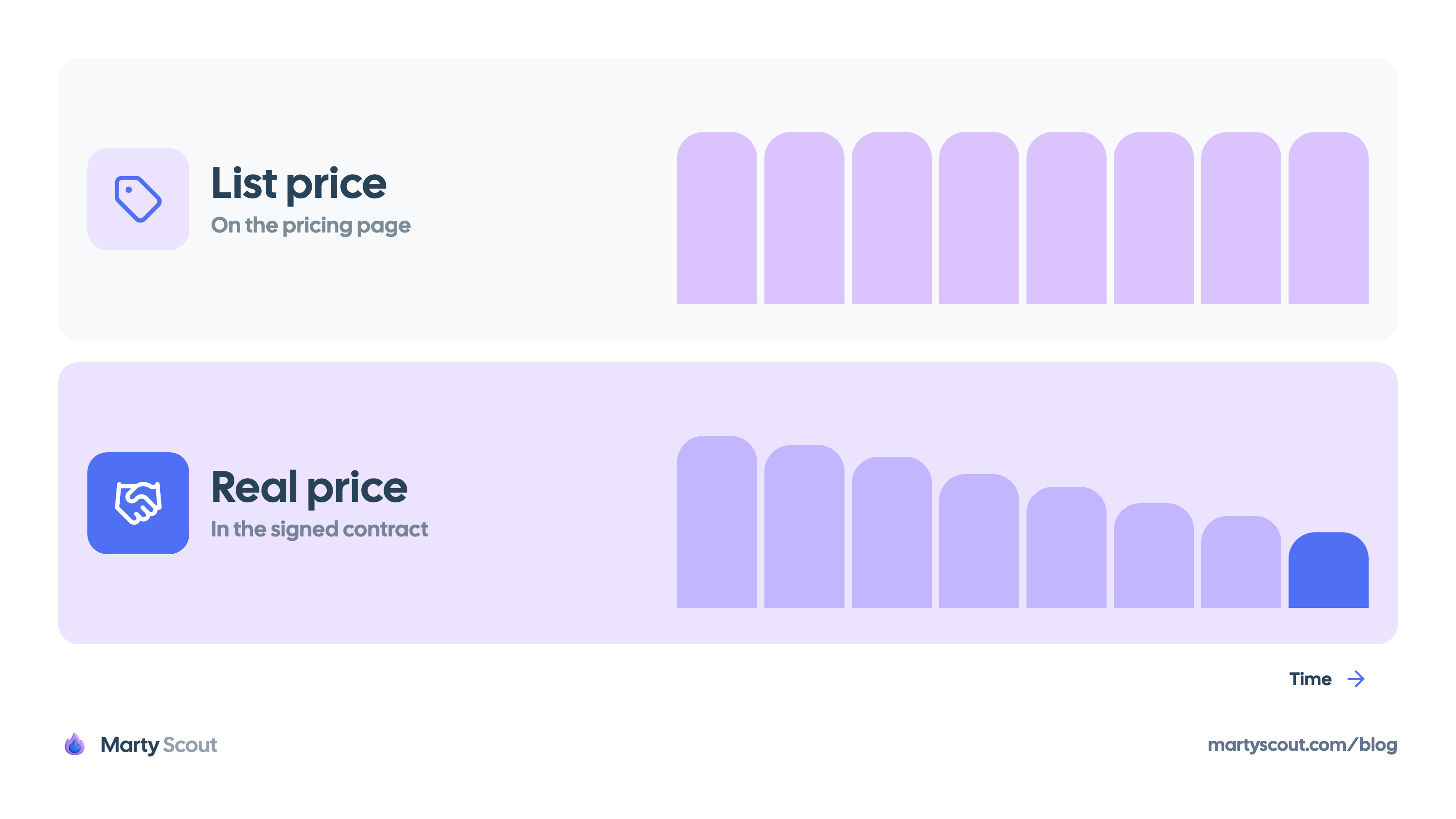
You can't see their contracts, but three public and first-party sources get you close:
- Your own lost deals: ask what the competing quote was. Prospects often share it. Record the number, the plan, and the seat count in your CRM.
- Your sales team: reps hear discount levels in live conversations. Give them one place to write it down.
- Public review sites: reviewers sometimes mention what they pay and how billing works.
Treat each data point as an anecdote until you have several pointing the same way. Five lost deals with similar quotes are a pattern worth raising in a pricing review.
Start with one competitor this week
Pick the competitor you lose the most deals to. List its pricing surfaces, save a baseline, and point a monitor at each URL. The setup fits in an hour.
In a month you'll have a dated record of every change they made. Add the second and third competitors once the first one is running without effort.
FAQ
How often should you check competitor pricing?
Run automated monitoring daily and review the alerts weekly. Add a manual walkthrough of each competitor's pricing page and signup flow once a month, because monitors miss content hidden behind clicks.
Is it legal to monitor a competitor's pricing page?
Reading and recording information a company publishes on its public website is a standard market research practice. Coordinating prices with a competitor is a different matter and is illegal in many jurisdictions. If you plan to collect data at scale or from behind a login, check the site's terms and ask your legal counsel first.
Should you match a competitor's price cut?
Rarely, and never within days. Wait until you know whether the cut is permanent, whether it applies to the customers you sell to, and whether your own prospects mention it. A price cut you match on reflex is margin you give up for a reason you haven't confirmed.
What if a competitor hides its pricing?
Track what stays public: plan names, feature lists per plan, and the audience each plan names. Then rely on first-party sources, mainly quotes shared by prospects in deals you lost or won.
Who should own competitor pricing tracking?
One named person, usually in product marketing or product management. Shared ownership means nobody reads the alerts. The owner doesn't decide the response alone. They make sure every change is classified and reaches the people who decide.
Related articles
Compare competitor prices when every plan meters differently
Seats, credit pools, and per-outcome fees can't share one price column. Price three buyer profiles on every competitor instead, with a worked example.
Competitor analysis and benchmark templates that decide
Two copy-ready worksheets: one competitor and one question, or one metric across several. Every cell carries a source, a date, or an honest blank.
Match market research tools to the decision in front of you
Three jobs hide inside every top market research tools list: paid respondents, public landscape sources, and competitor monitoring. Pick one per decision.